FEATURES AND GESTURES
Fewer taps. More finished work.
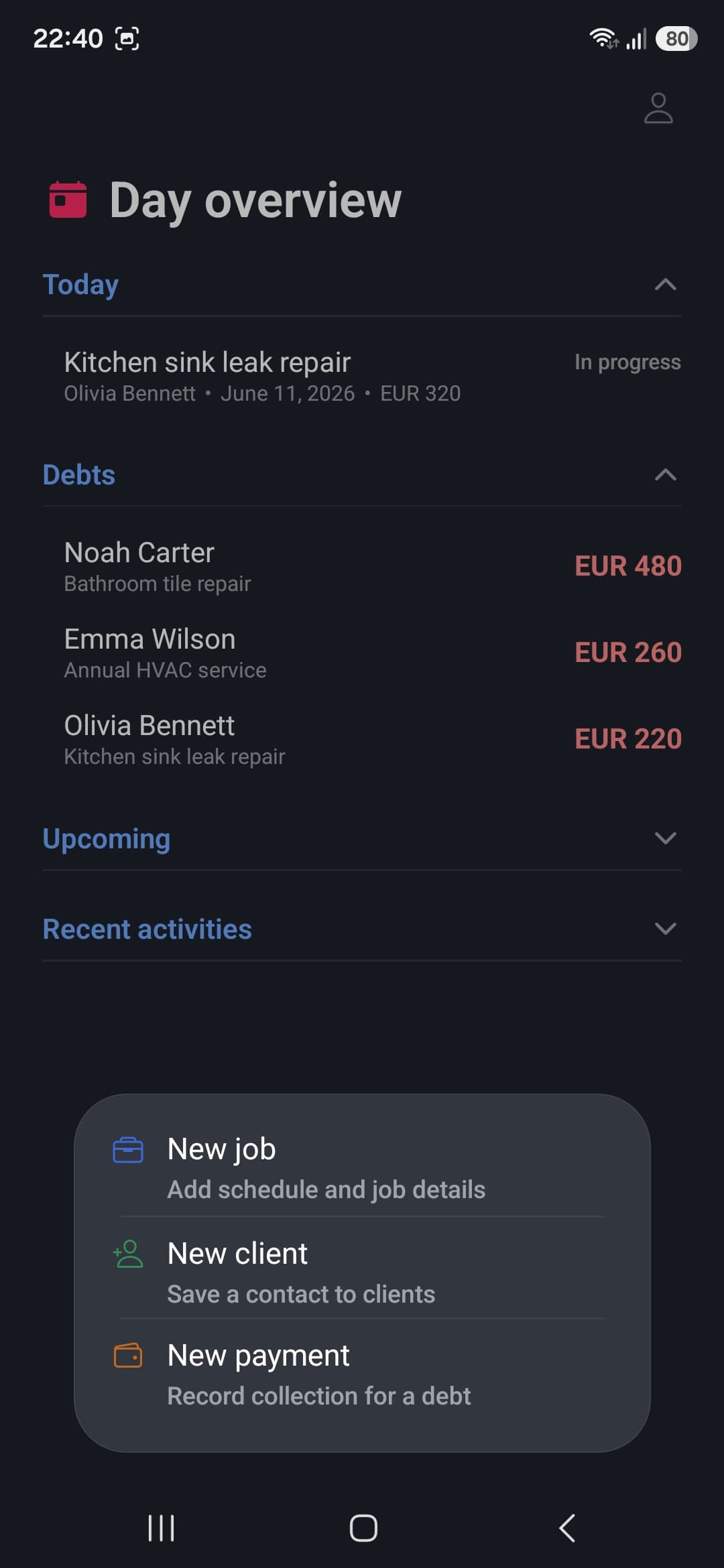
eTefter is designed for one-handed use, often while you're on the move. Important information is visible immediately, while search, gestures and quick actions shorten the path to every record.
01 · DAY OVERVIEW
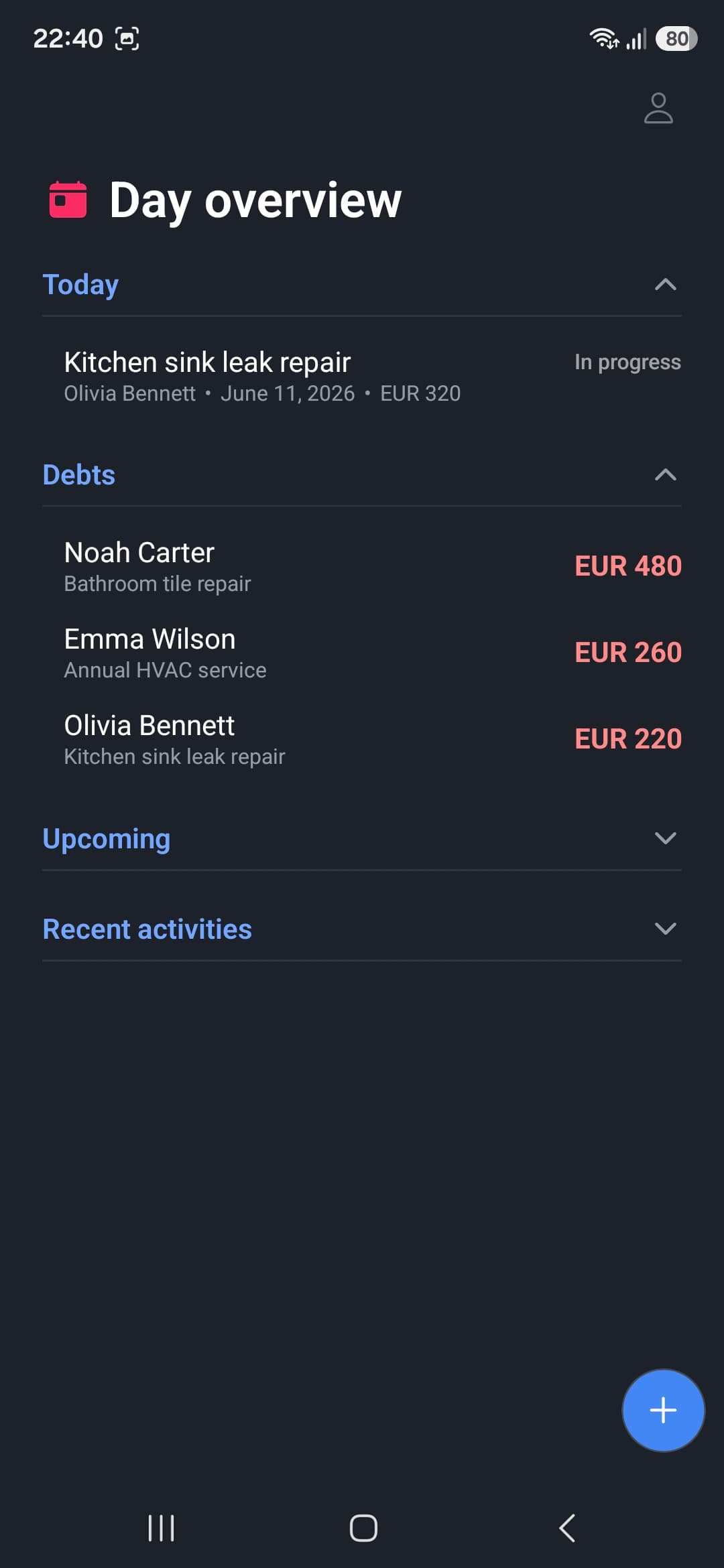
Start the day by answering one question: what's next?
The home screen brings together today's jobs, outstanding payments, upcoming work and recent activity. Collapse sections you don't need right now.
- today's and upcoming jobs
- outstanding payments
- collapsible sections without visual clutter
02 · QUICK FIND AND NAVIGATION
Reach a client or job without digging through menus.
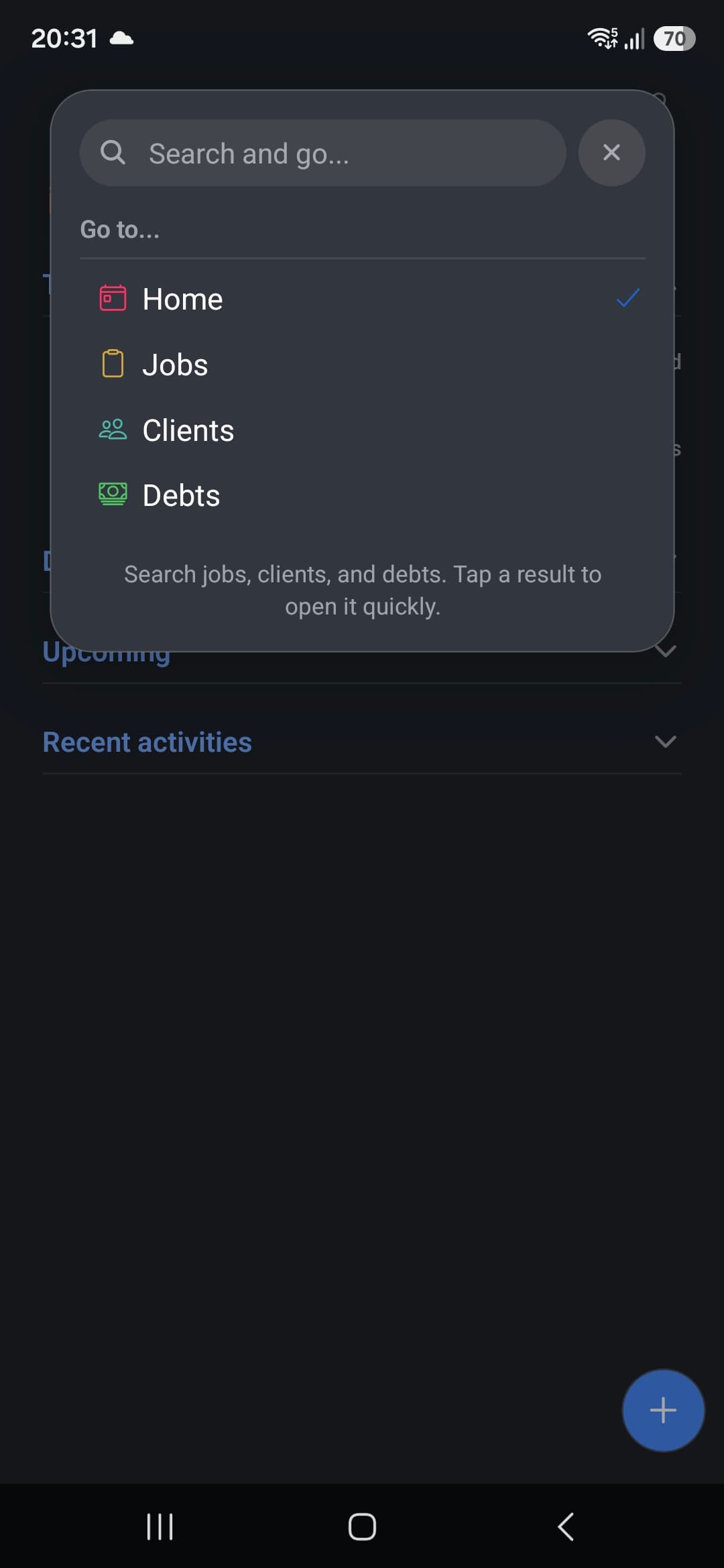
Quick Find searches jobs, clients and debts as you type. You can also jump directly to Home, Jobs, Clients or Debts without stepping back through multiple screens.
- search jobs, clients and debts
- jump directly to the matching record
- quick navigation across four main areas
03 · CALENDAR AND QUICK SCHEDULING
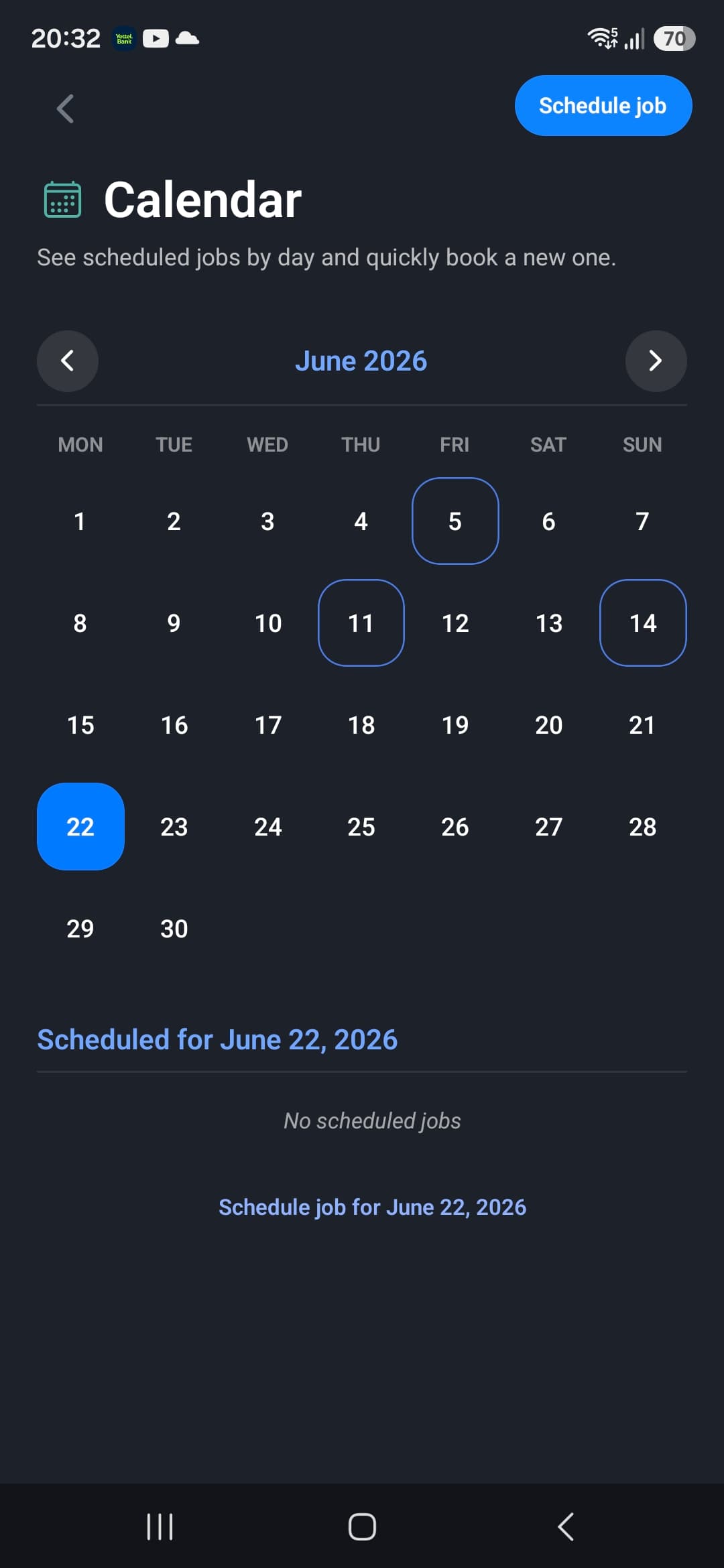
See a free date before you promise it.
The calendar shows scheduled jobs by day and lets you book a new one immediately. Change the month, choose a date and start Schedule job without finding the date again in a form.
- monthly overview of scheduled dates
- jobs for the selected date below the calendar
- quick scheduling directly for the chosen day
04 · SWIPE ACTIONS FOR JOBS
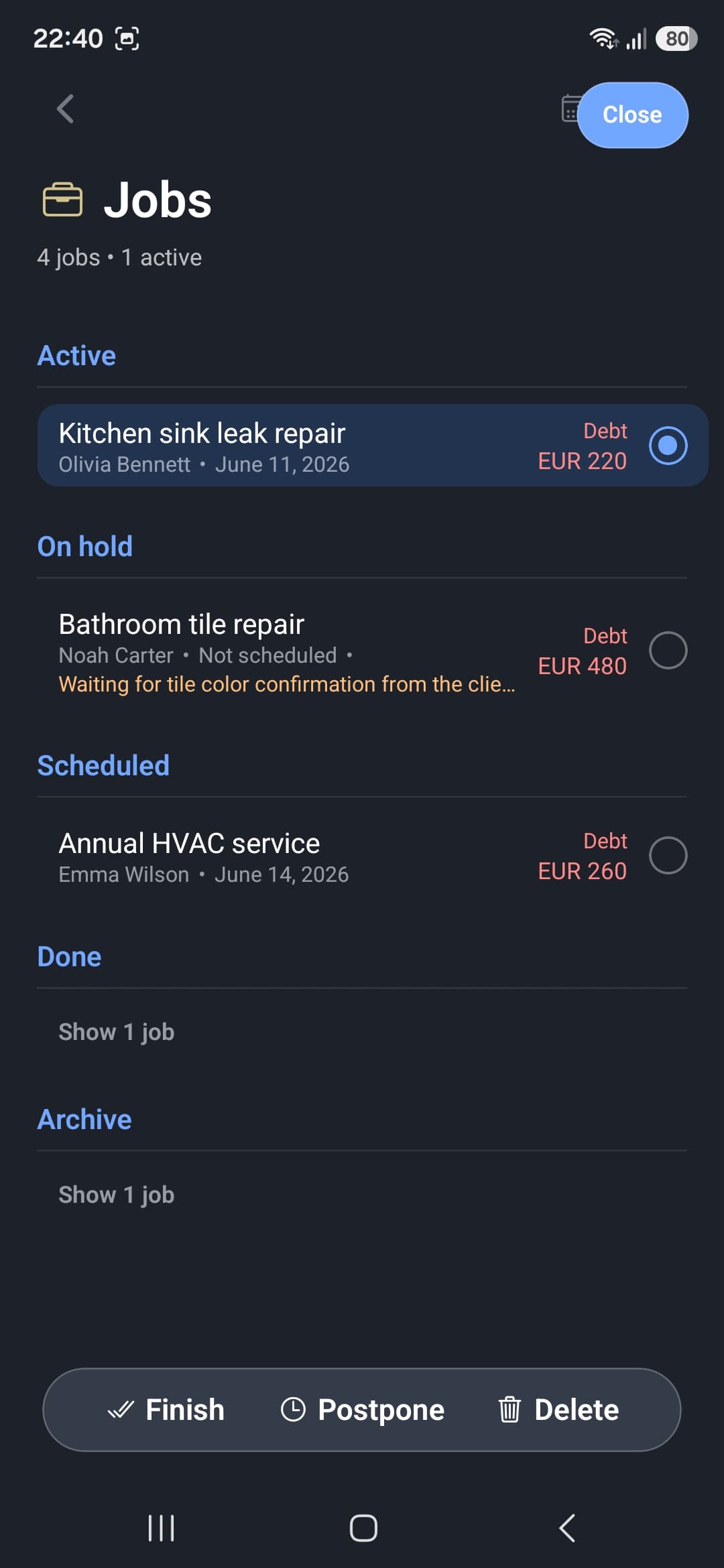
Finish, postpone or delete without opening job details.
Swipe or select a job to reveal actions tailored to the jobs list. The selected row is clearly highlighted and commands remain within thumb reach at the bottom.
- Finish to complete a job
- Postpone to quickly move it
- Delete to remove the record
05 · SWIPE ACTIONS FOR CLIENTS
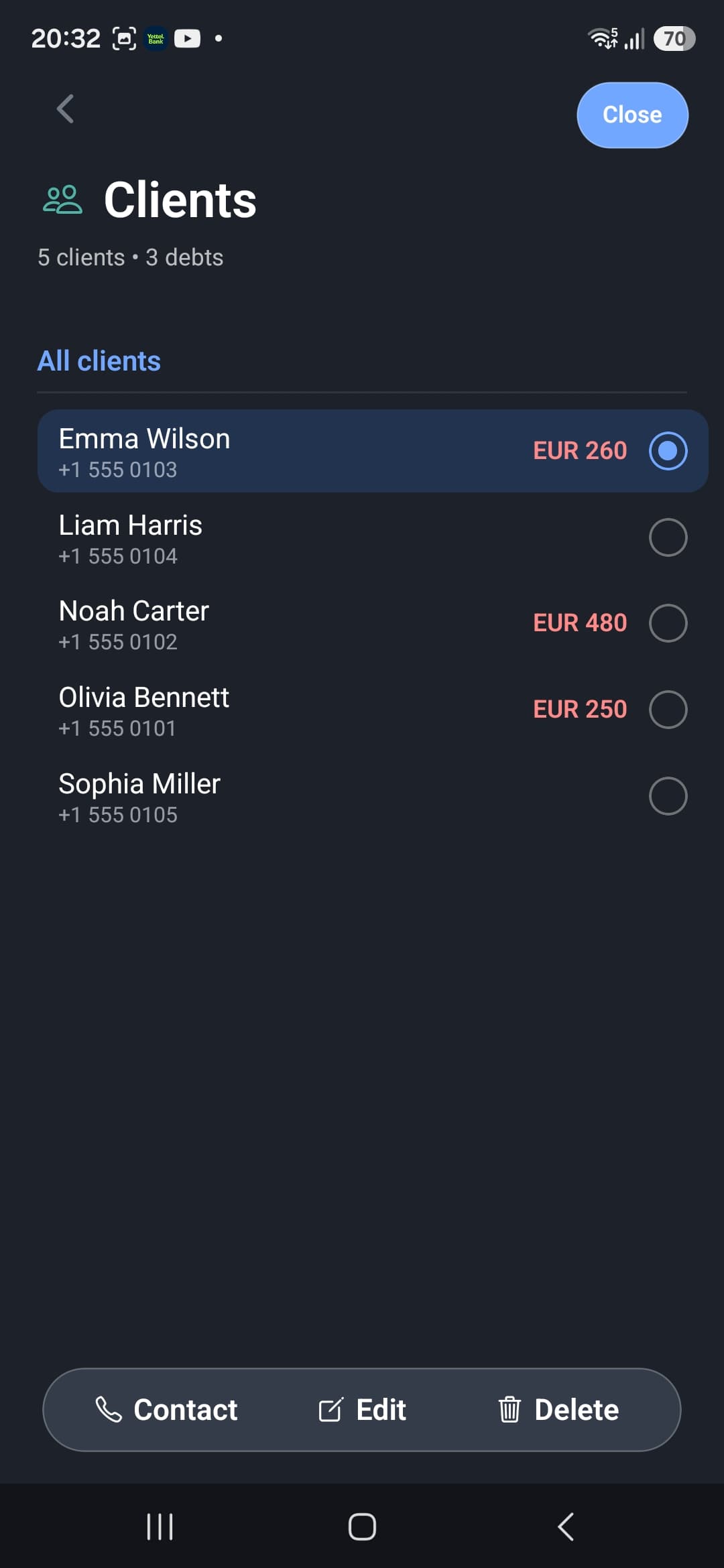
Call, edit and delete stay with the selected client.
Client actions are kept separate from job actions. Select a client to call them, update their information or remove the record.
- Contact for a direct call
- Edit to update contact details
- Delete to remove the client
06 · SWIPE ACTIONS FOR DEBTS
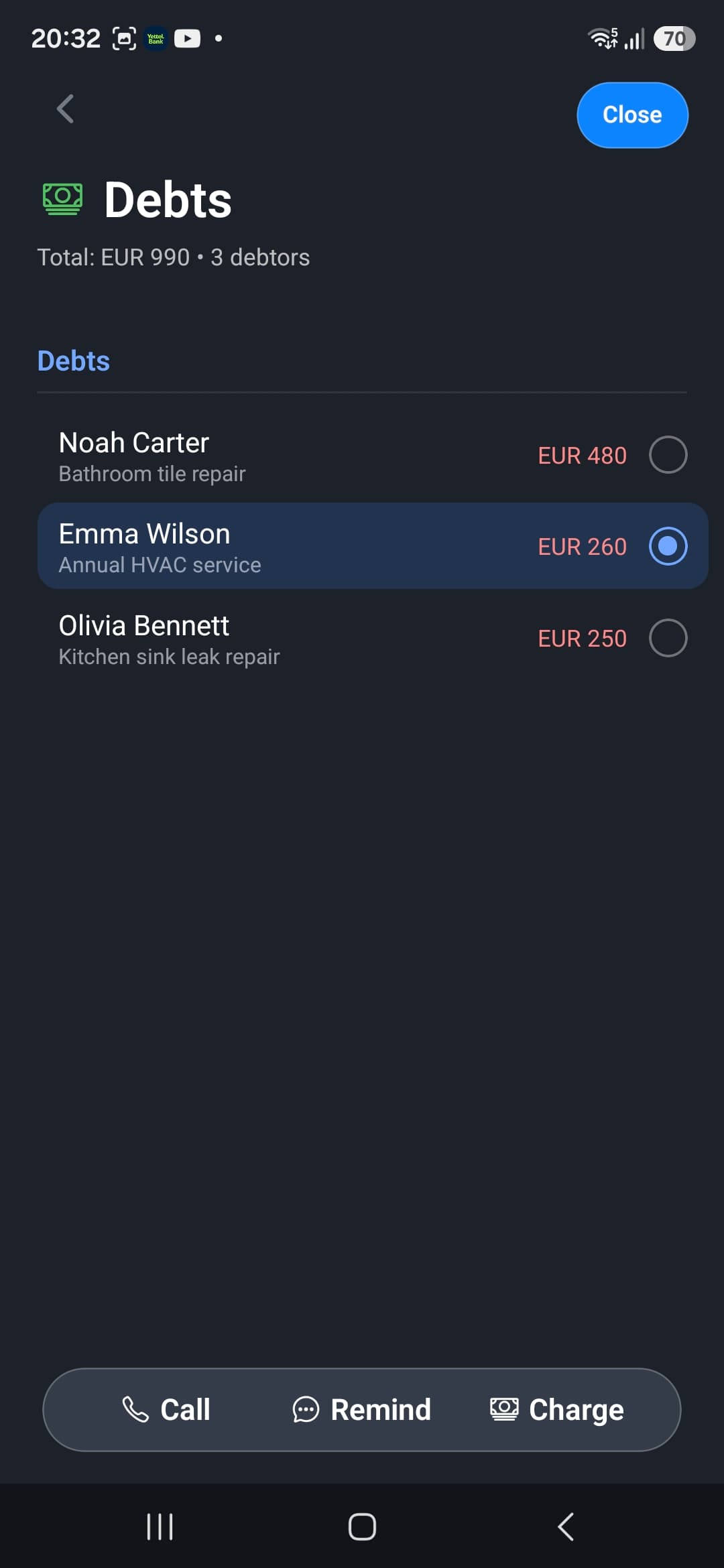
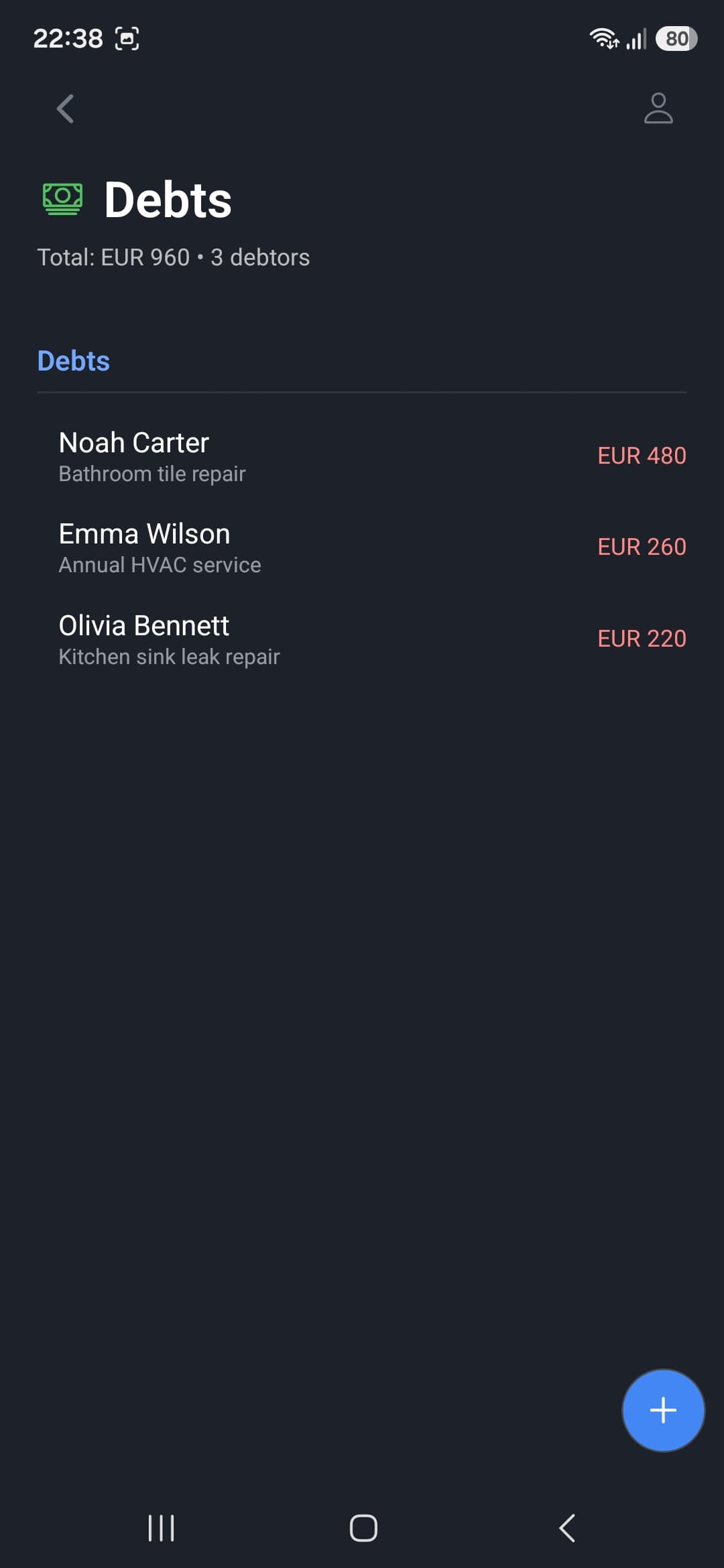
Go from reminder to payment without finding the client again.
Select a debt and choose the next step immediately: call the client, send a reminder or record payment. The amount and related job stay visible while you act.
- Call to reach the debtor
- Remind to send a payment reminder
- Charge to record collection
07 · JOB, INVOICE AND PAYMENT
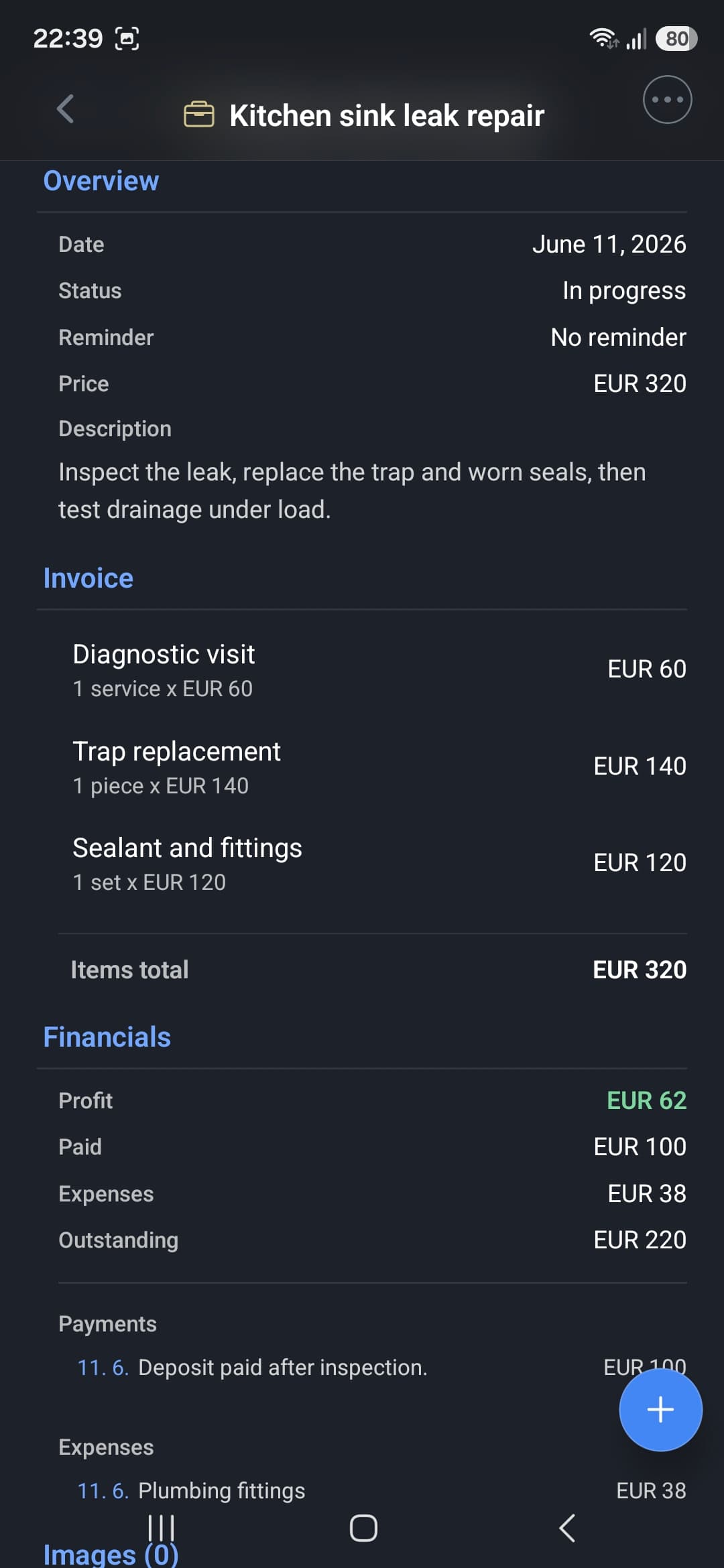
The entire job, from description to profit, in one record.
A job detail connects its schedule, status, description, invoice items, payments, expenses and photos. You don't need a parallel spreadsheet just to know what the work was worth.
- invoice items and total
- paid, expenses, outstanding and profit
- payments, expenses and photos attached to the job
08 · SETTINGS THAT FIT
Set up your company, appearance and language once.
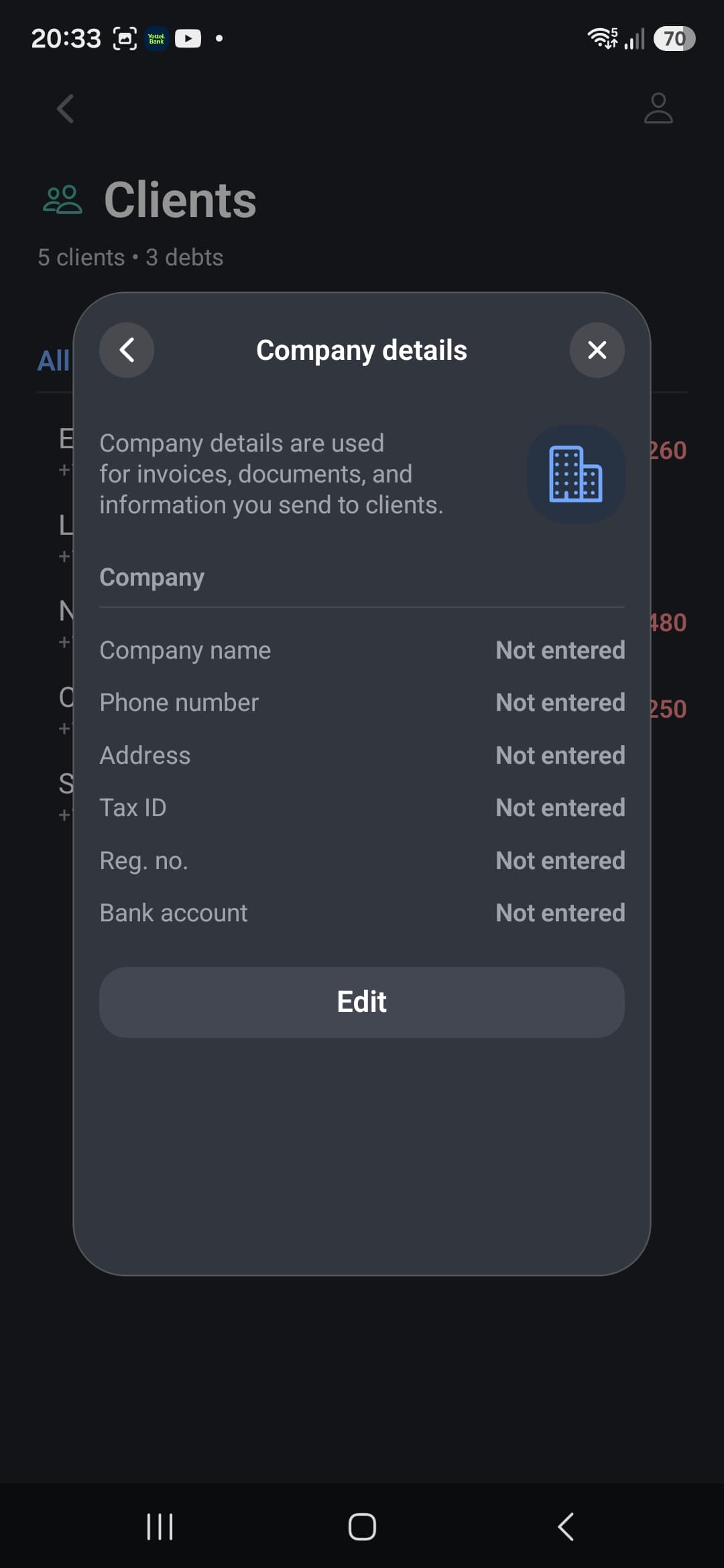
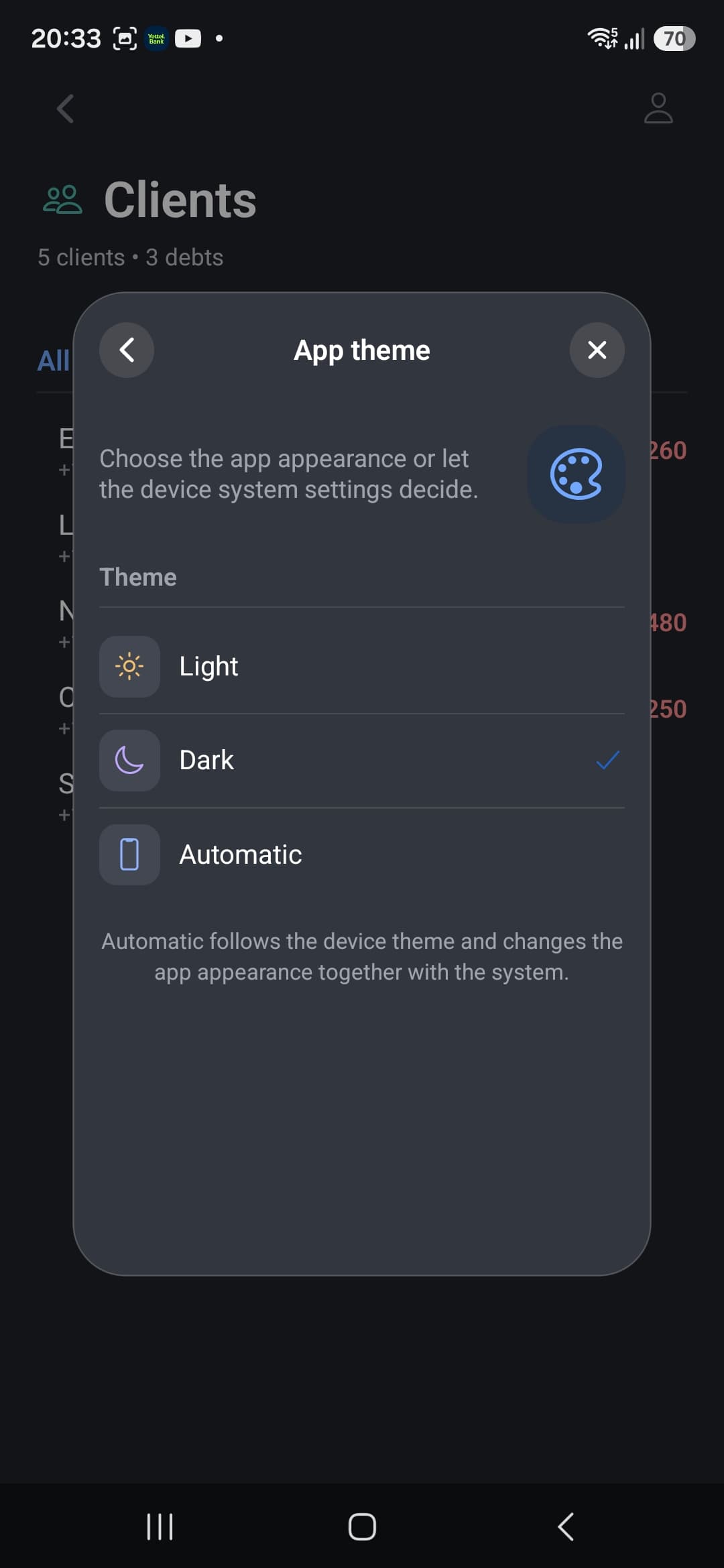
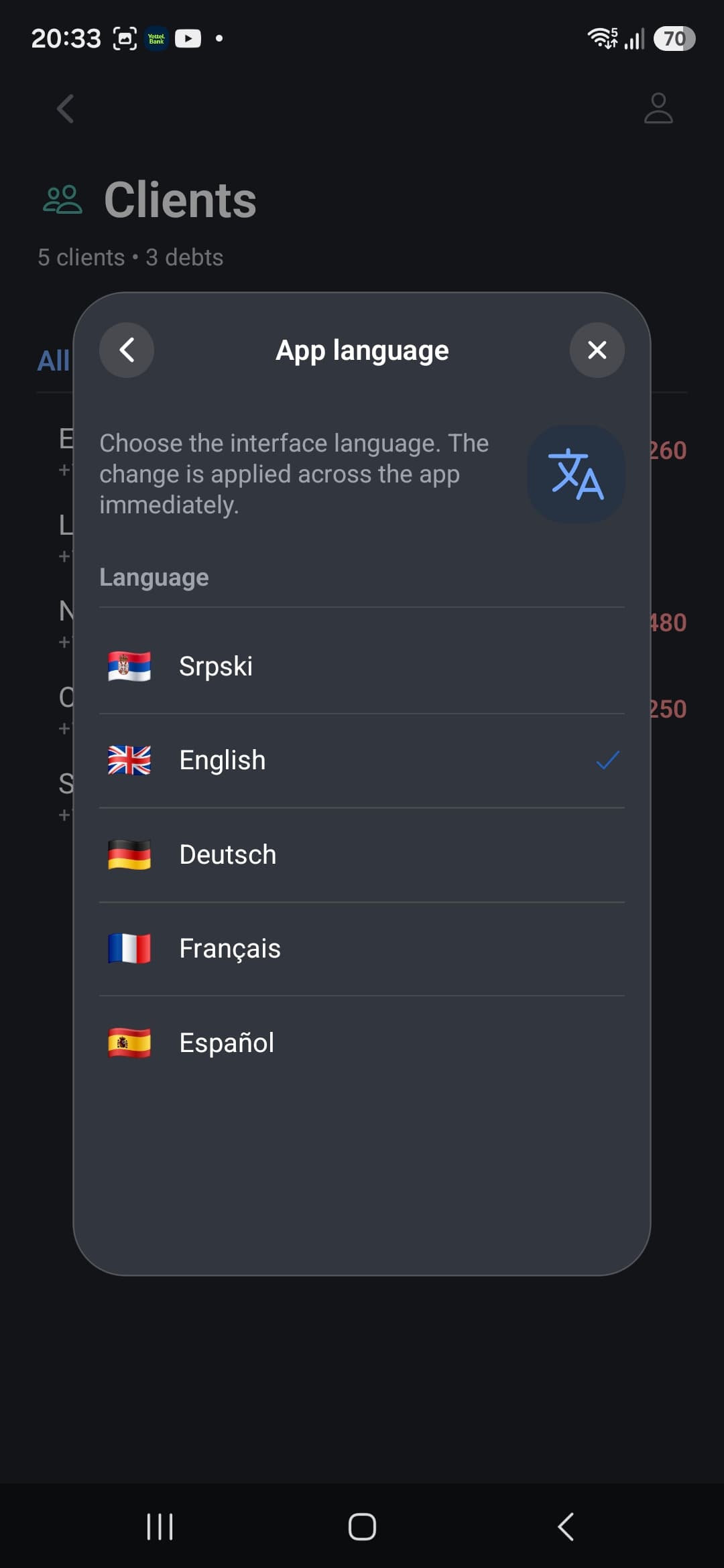
Company details automatically flow into invoices and documents. Choose a light, dark or automatic theme and switch the interface language whenever needed.
- company details for invoices and documents
- Light, Dark or Automatic theme
- Serbian, English, German, French and Spanish
ALSO IN THE APP
Small details that make a complete tool.
Before and after photos
Keep a visual record of the initial state and finished work with the job.
PDF invoice
Generate a clear document from information you've already entered.
Local reminders
Get notified about scheduled jobs and appointments you don't want to miss.
Offline work
Keep working without a signal; data syncs when your connection returns.
The easiest way to understand it is on your next job.
Your first 3 jobs and 3 clients are free. No card and no commitment.